PathfinderPrototyping · St. Paul MN

Audio production · Stream Deck plugin

REAPER Control Room

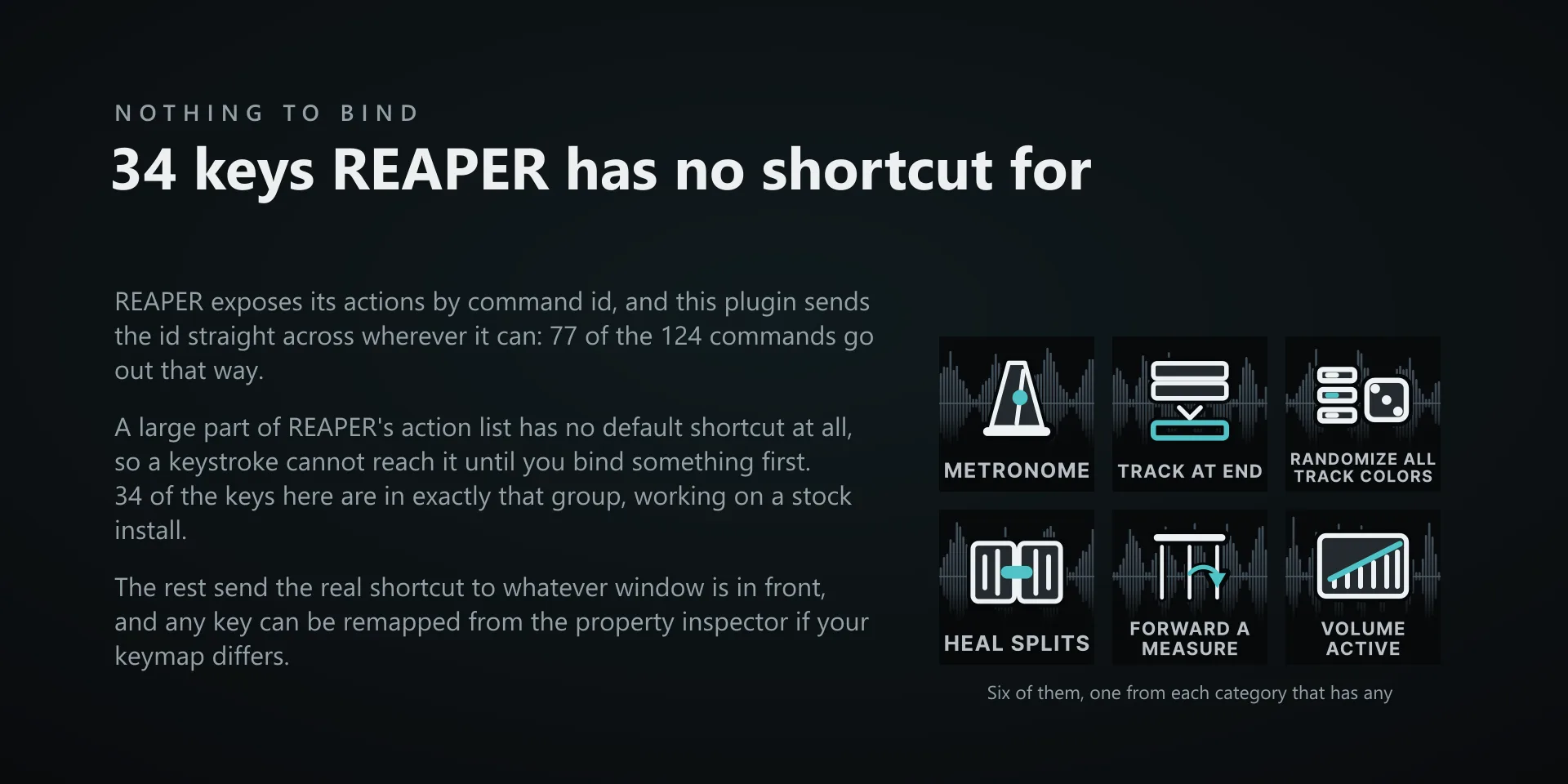
A large part of REAPER's action list has no default shortcut, so a keystroke plugin cannot reach it until you go and bind something first. Sending REAPER its own command ID skips the binding step, and the deck arrives already able to drive the app.

Direct checkout, at the Marketplace price
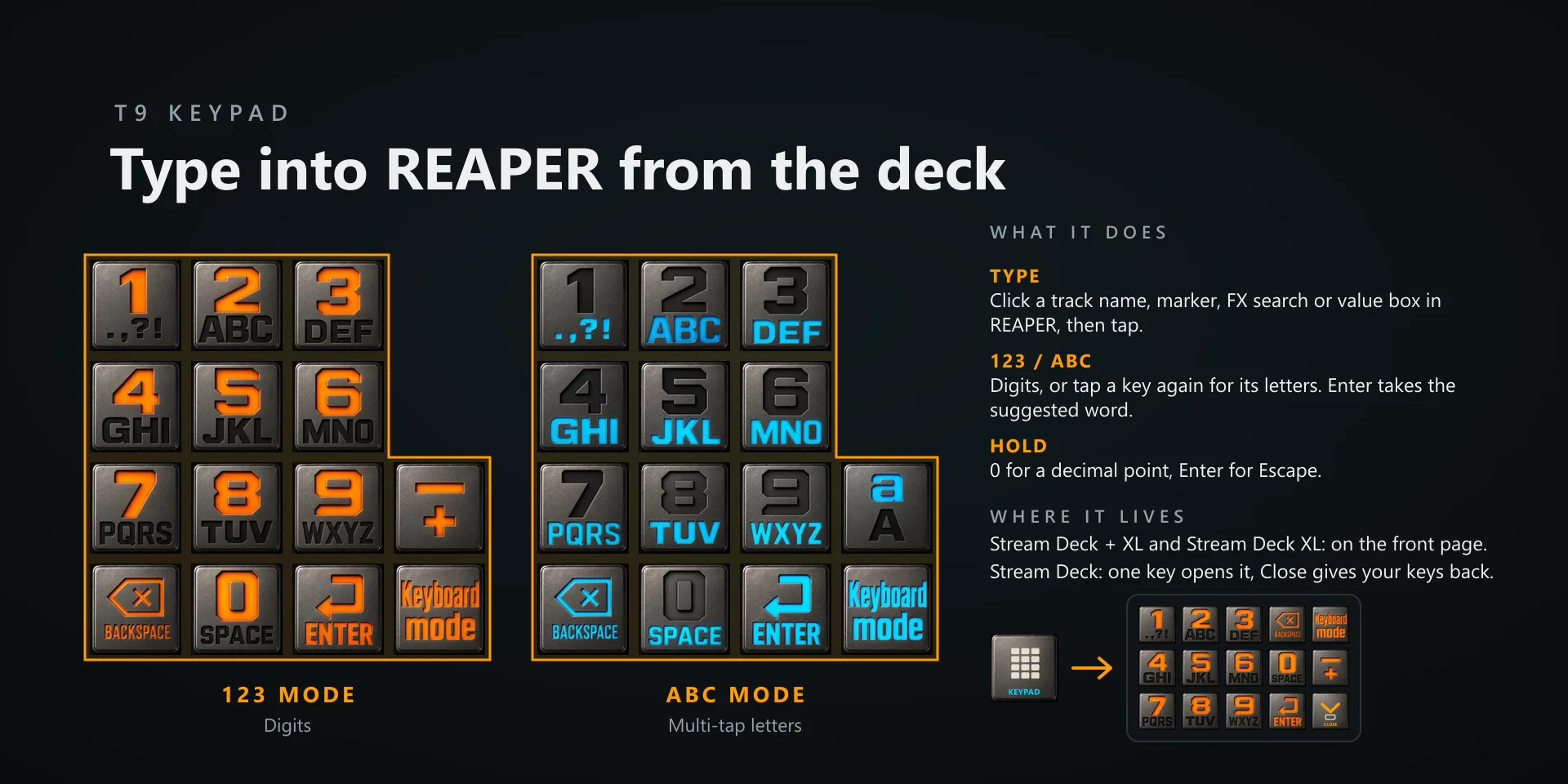
What it does

What you need

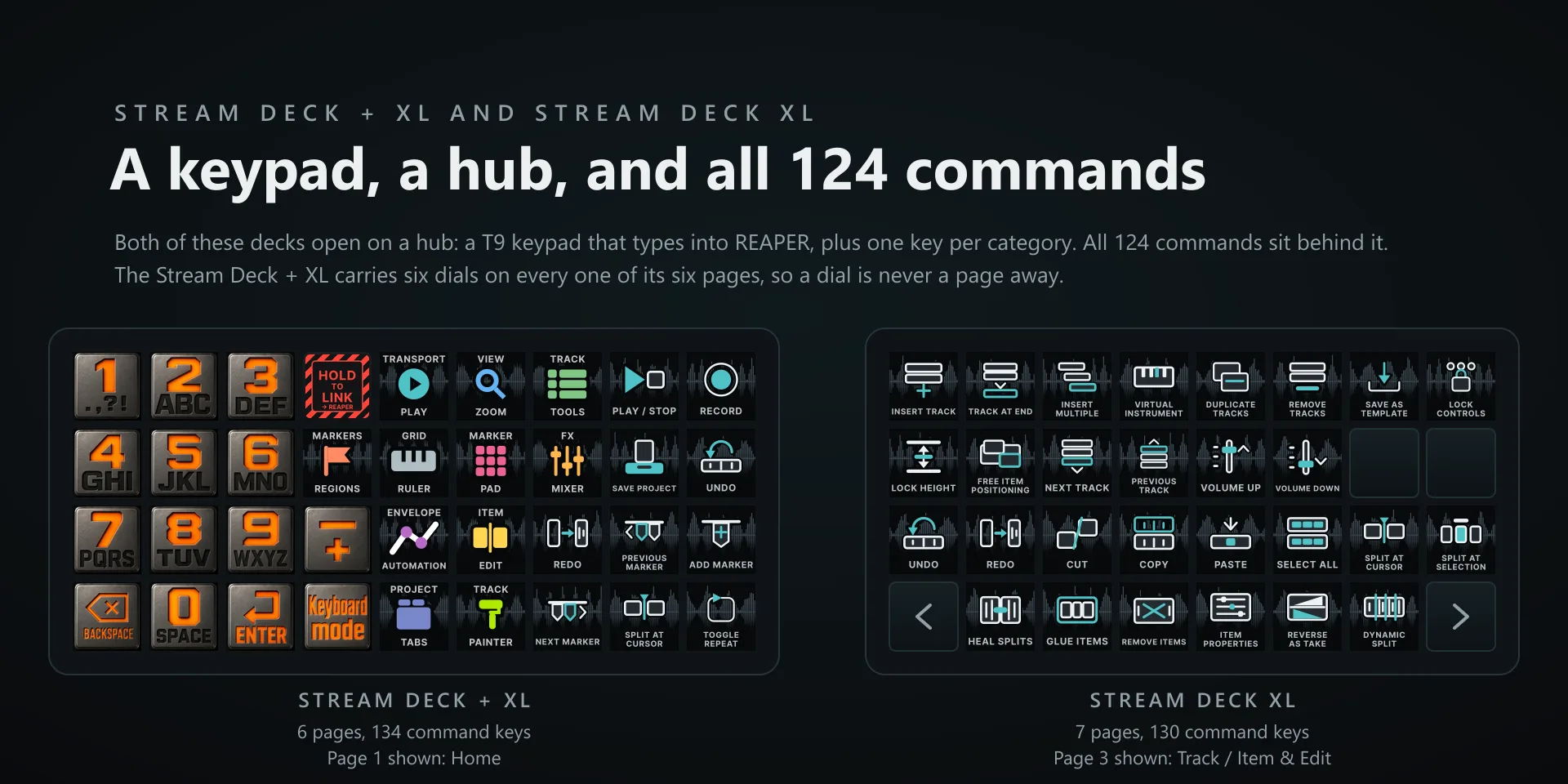
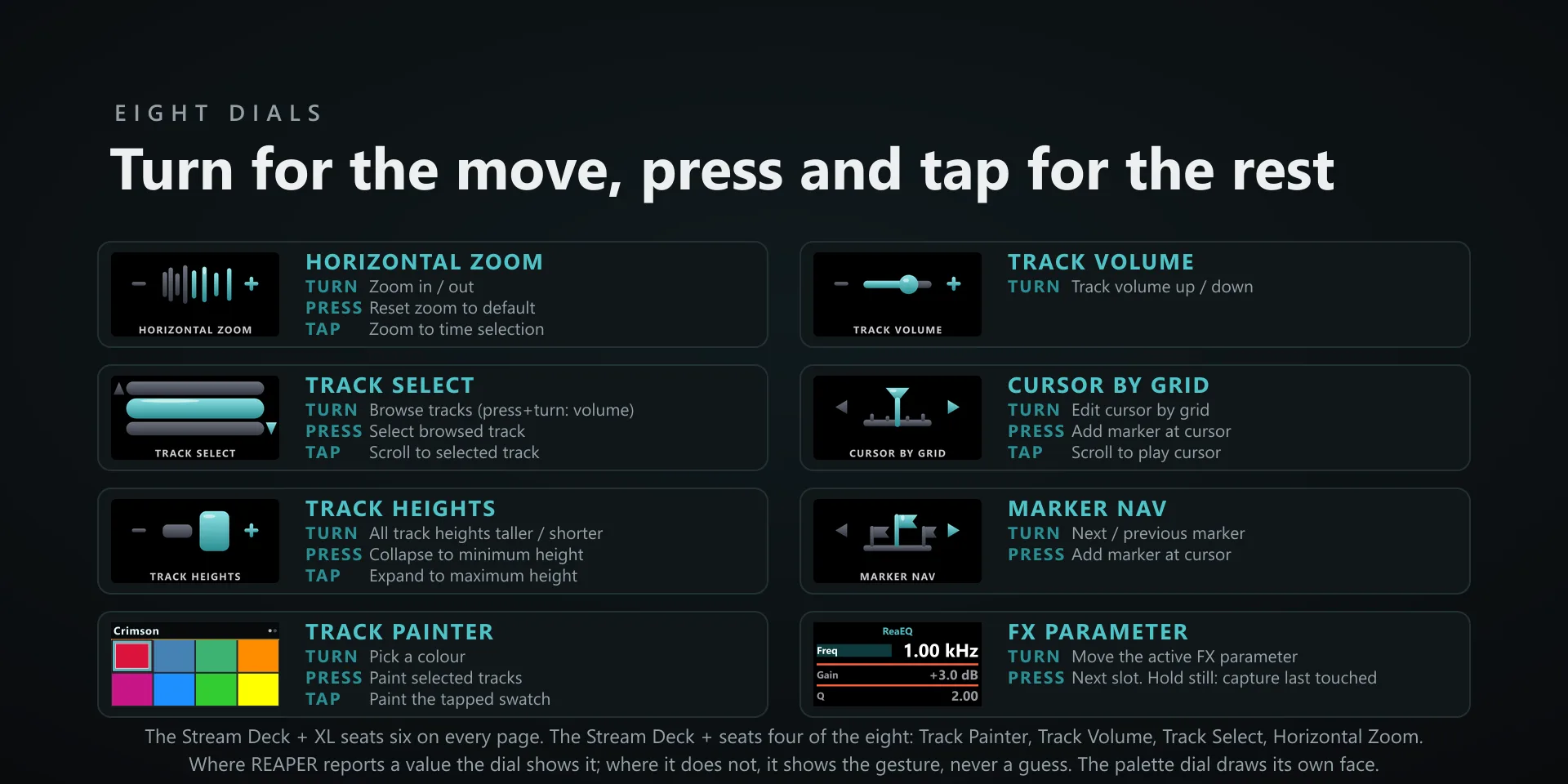
Windows 10 or later, Stream Deck software 6.9 or newer, and REAPER 7.80. The Stream Deck + XL seats six of the eight dials at a time; a Stream Deck + seats Track Painter, Track Volume, Track Select and Horizontal Zoom.

Support

Good to know

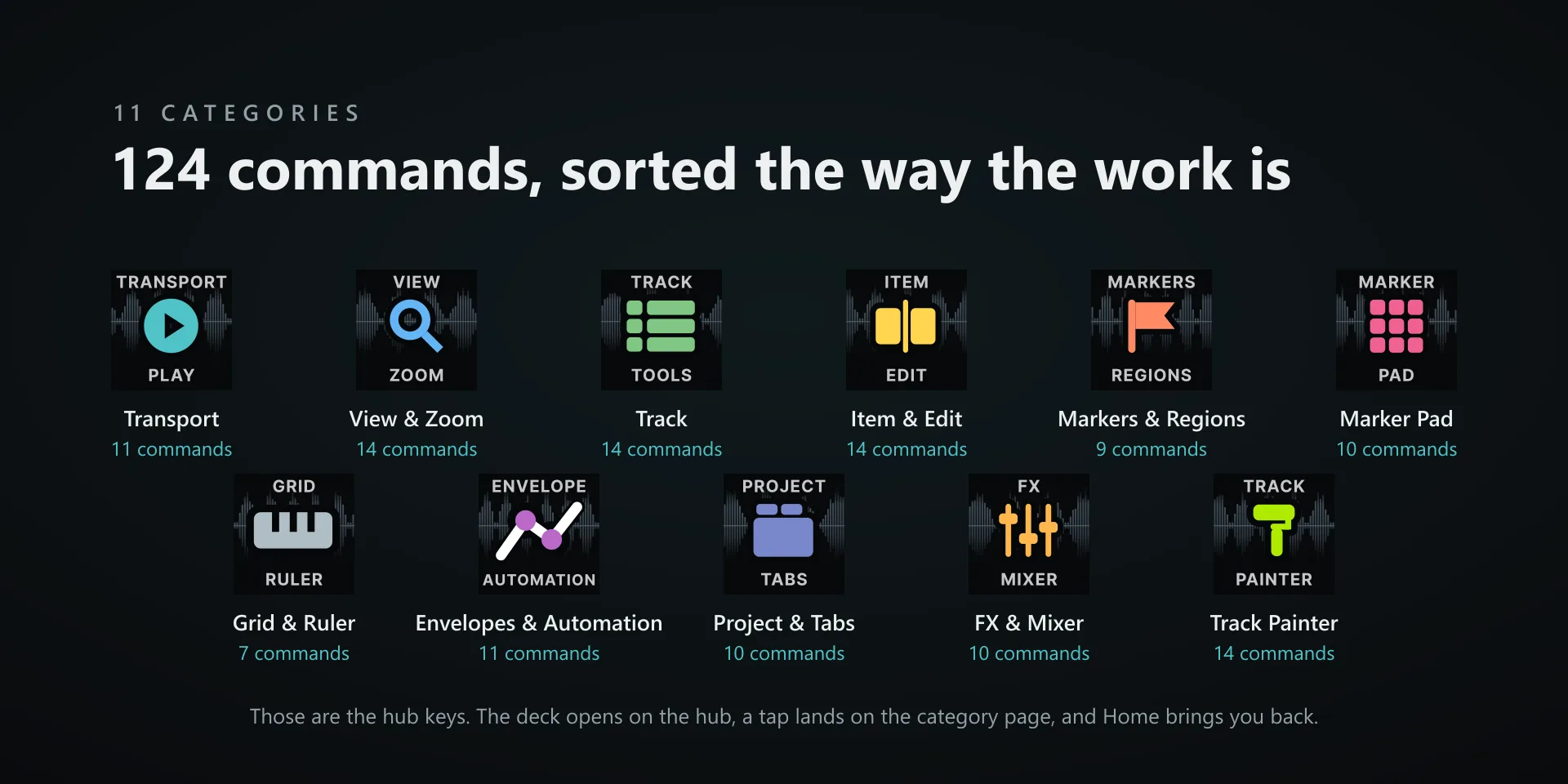
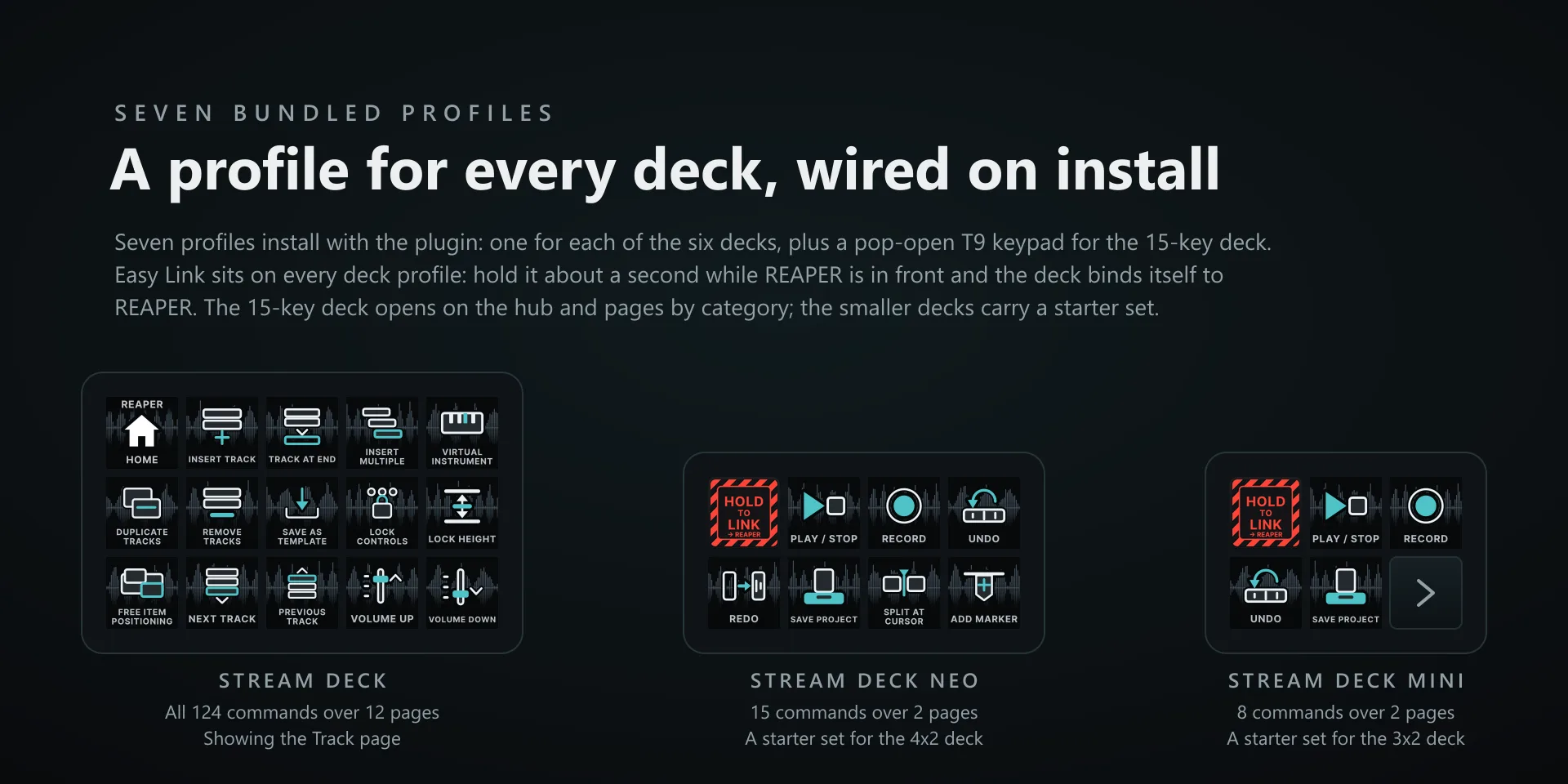
  • Built and tested against REAPER 7.80 on Windows 10 and 11. Requires the Windows Stream Deck app 6.9 or later. Seven profiles are bundled for six decks: the 15-key Stream Deck, the Stream Deck +, the Stream Deck + XL, the 32-key Stream Deck XL, the Stream Deck Mini and the Stream Deck Neo, plus a pop-open keypad profile for the 15-key Stream Deck. The Stream Deck + XL seats six of the eight dials at a time; a Stream Deck + seats Track Painter, Track Volume, Track Select and Horizontal Zoom.
  • Updating from an earlier version: a profile you already installed keeps its old layout until you remove it and let the plugin install it again. Easy Link rules you captured before keep working. If you set up the OSC feed with an earlier version, the FX Parameter dial's strip reads OSC pattern out of date: press it once to update the file, which keeps a backup, then restart REAPER. A pattern file you edited by hand is never touched.
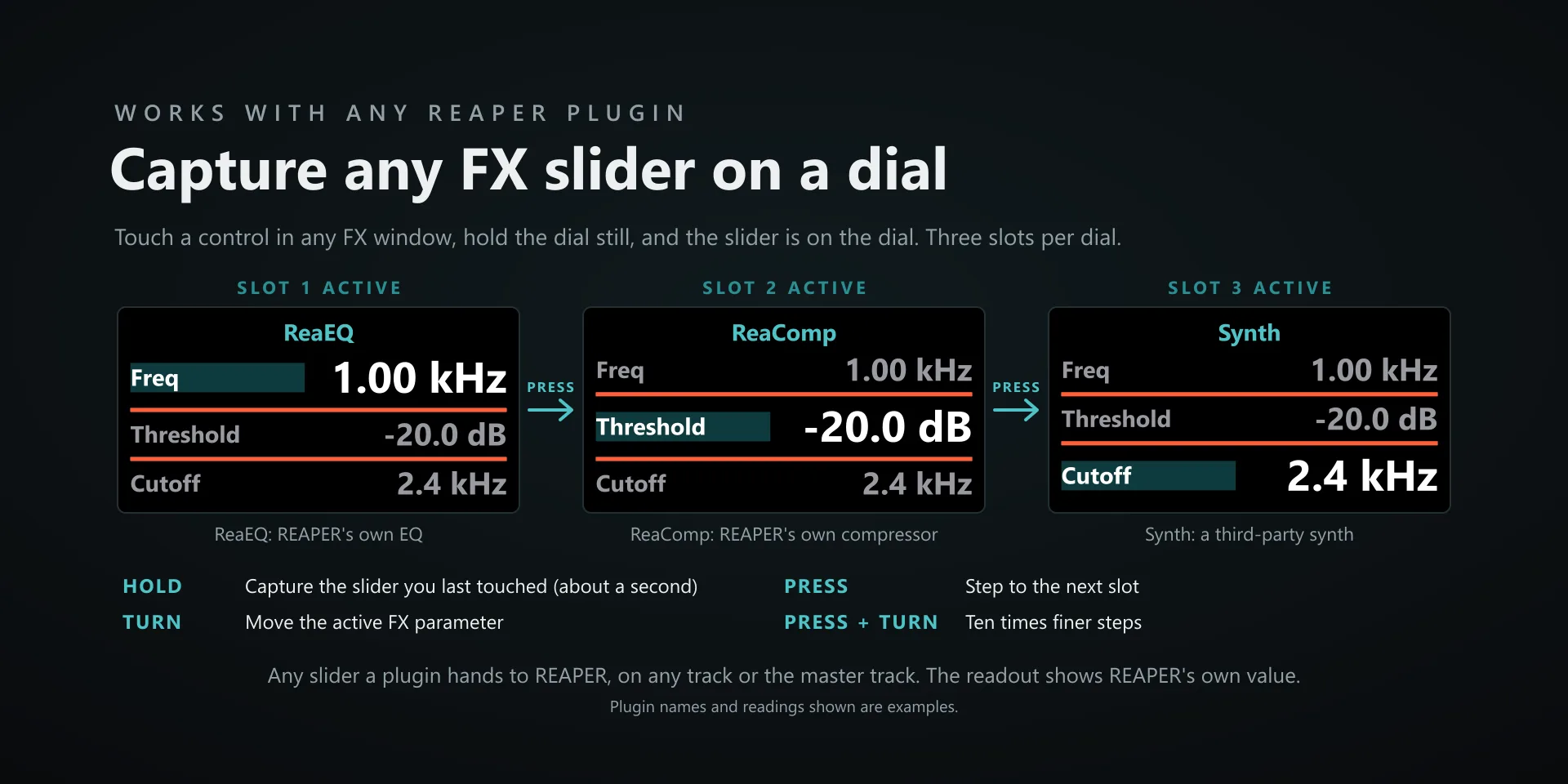
  • Track Select and FX Parameter both need the OSC feed, and both say why when they cannot work. Track Select's strip reads no feed, or a project with no named tracks. On FX Parameter a hold of about a second captures the parameter you touched last into the active slot; a row whose plugin cannot be found dims to no feed, and one whose plugin moved reads moved: re-capture, so hold again. Take FX, input FX and monitoring FX cannot be captured. Turn while pressing for ten times finer steps.
  • There are three kinds of command key here and they treat focus differently. The 77 command-id keys find REAPER's own window and send to it, so REAPER has to be running but does not have to be the front window, and pressing one cannot land in another app. The 14 Track Painter keys hand the colour to a script running inside REAPER, so they need it running but not in front. The 33 keystroke keys go to the active window in the usual way, so keep REAPER in front for those. With REAPER closed, the command-id keys have nothing to reach.
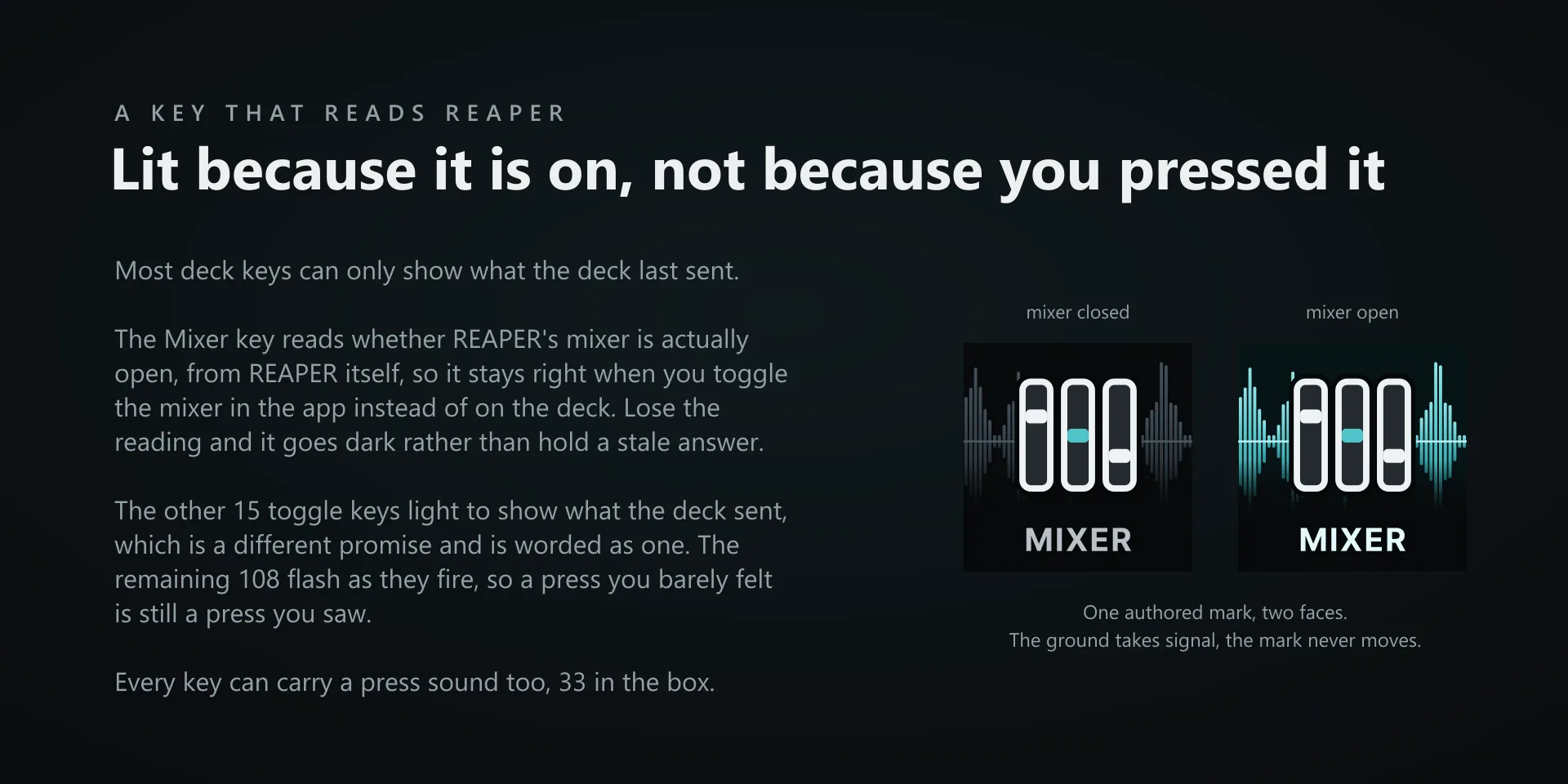
  • The Mixer key reads REAPER's real state, and that reading was tested with the mixer docked. If it loses the reading it goes dark rather than showing a stale answer. A mixer floated out into its own window may not be seen by that check, in which case the key can read closed while the mixer is on screen. Every other lit key lights from its own presses, and the Lights Off key clears all of those at once if a light gets out of step.
  • Track Volume turns only, with nothing on press or tap, and Marker Nav has no tap: every candidate for those gestures either wrote to the project or opened a window that takes over the dial's turns, so they were left off rather than shipped as a hazard. Marker Nav's press drops a marker at the cursor.
  • Every command key is remappable from the property inspector: press your combination once and that key sends exactly that from then on. Note what that does to a command-id key. A captured shortcut overrides the id route, so that key becomes a keystroke key and from then on needs REAPER focused like the other 33.
  • Every key can play a press sound, 33 in the box. Recordings made with our free Sound Sampler plugin appear in the same Key Sound picker under Your recordings, with no import step.

True of every plugin we make

  • Every key carries the app's own shortcut for that command, and every key is remappable. Type your combination into the key's property inspector (its settings panel in the Stream Deck app) or click Capture and press it once. Where an app leaves a command unbound, the key still reaches it by the route that app exposes.
  • Keystrokes go to the front window and nothing steals focus, so keep the target app in front when you press.
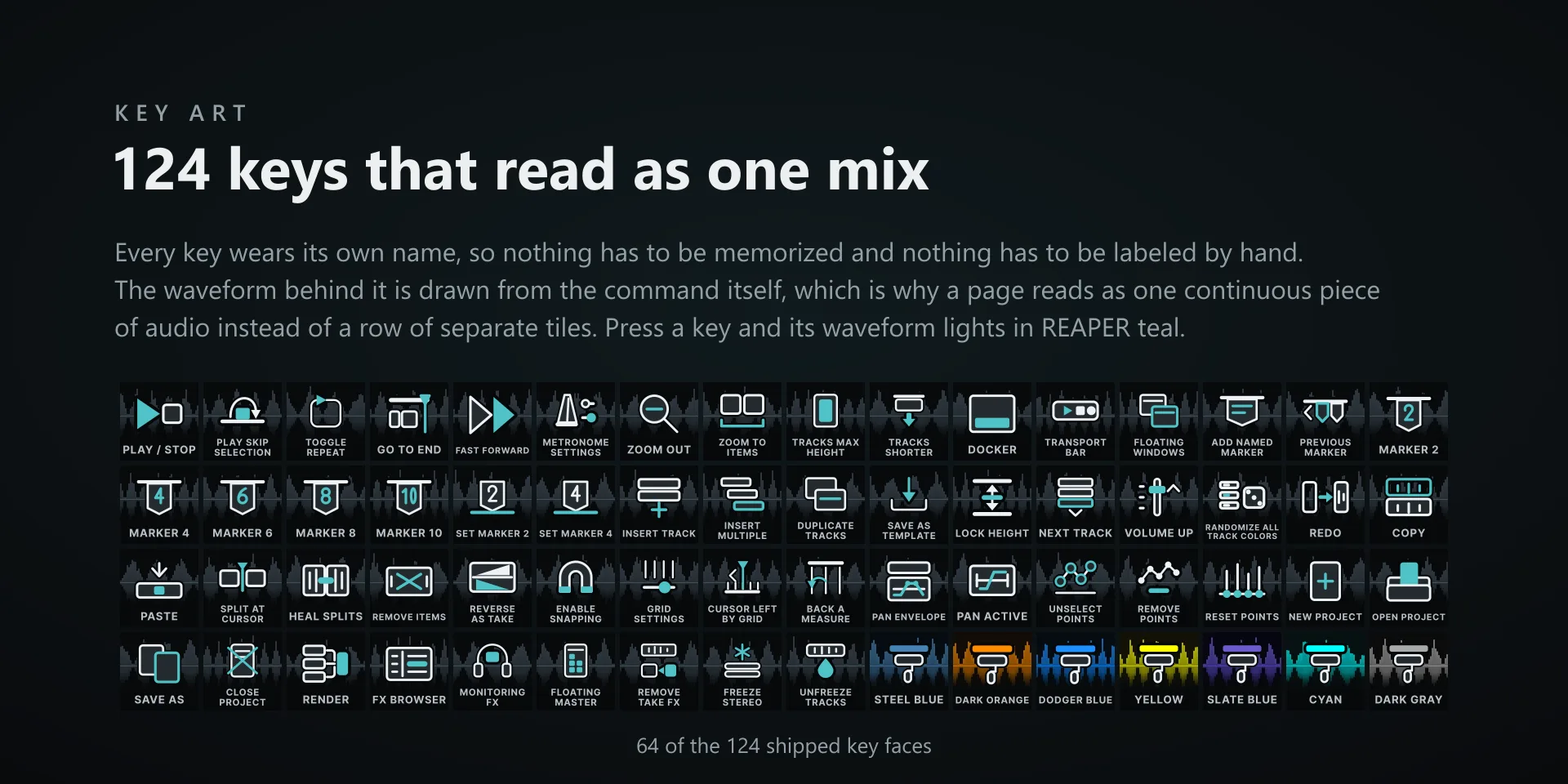
  • Every command has its own drawn key art, so the deck reads at a glance instead of listing shortcuts.

Read the full quick fixes, or see this plugin on the support hub.

Still stuck? Email [email protected] with the plugin name, your Stream Deck software version, and what you pressed versus what happened. A human answers.